Top Picks
Mindfulness apps overlap with meditation apps but are broader in scope. They typically include guided meditation, breathwork, body scans, sleep tools, mood check-ins, and focus support, not just seated meditation. The apps in this list cover that full range.
This guide is for anyone from complete beginners to those with an established practice. Core outcomes addressed include stress management, sleep support, and daily focus.
Selection is based on six signals: content quality and variety, ease of use and onboarding, personalization options, pricing fairness, offline access, and privacy handling. Availability and pricing change frequently, always check current details in the App Store or Google Play before subscribing.
Note: Mindfulness apps are not medical tools. They are wellness and skill-building products. They do not diagnose, treat, or cure any condition.
|
App
|
Price Range
|
Free Tier/Trial
|
Platforms
|
Offline Mode
|
Sleep Content
|
Beginner Path
|
Standout Feature
|
|
Pulsetto
|
Free (core) or Premium ~$129/year
|
14-day Premium trial
|
iOS, Android
|
Soon to be developed
|
Yes
|
Yes
|
App-controlled vagus nerve stimulation programs + HRV/sleep insights
|
|
Headspace
|
$12.99/mo or $69.99/yr
|
Trial
|
iOS/Android/Web
|
Yes
|
Yes
|
Yes
|
Structured curriculum
|
|
Calm
|
$14.99/mo or $69.99–$79.99/yr
|
Trial
|
iOS/Android/Web
|
Yes
|
Yes
|
Limited
|
Sleep stories library
|
|
Insight Timer
|
Free; MemberPlus $9.99/mo or $59.99/yr
|
Extensive free
|
iOS/Android/Web
|
Yes
|
Yes
|
Partial
|
Massive free library
|
|
Ten Percent Happier
|
$99.99/yr (annual only)
|
Trial
|
iOS/Android
|
Yes
|
Limited
|
Yes
|
Practical teaching style
|
|
Waking Up
|
$12.49/mo or $129.99/yr
|
Trial
|
iOS/Android/Web
|
Yes
|
Limited
|
Yes
|
Theory + practice depth
|
|
The Mindfulness App
|
$4.99/mo or $59.99/yr
|
Trial
|
iOS/Android
|
Yes
|
Limited
|
Yes
|
Simple timer focus
|
|
Smiling Mind
|
Free
|
Free
|
iOS/Android/Web
|
Yes
|
Limited
|
Yes
|
Age-based programs
|
|
UCLA Mindful
|
Free
|
Free
|
iOS/Android
|
Limited
|
Limited
|
Yes
|
University-backed basics
|
|
Breethe
|
$14.99/mo or $89.99/yr
|
Trial
|
iOS/Android
|
Yes
|
Yes
|
Partial
|
Stress-focused coaching
|
1. Pulsetto
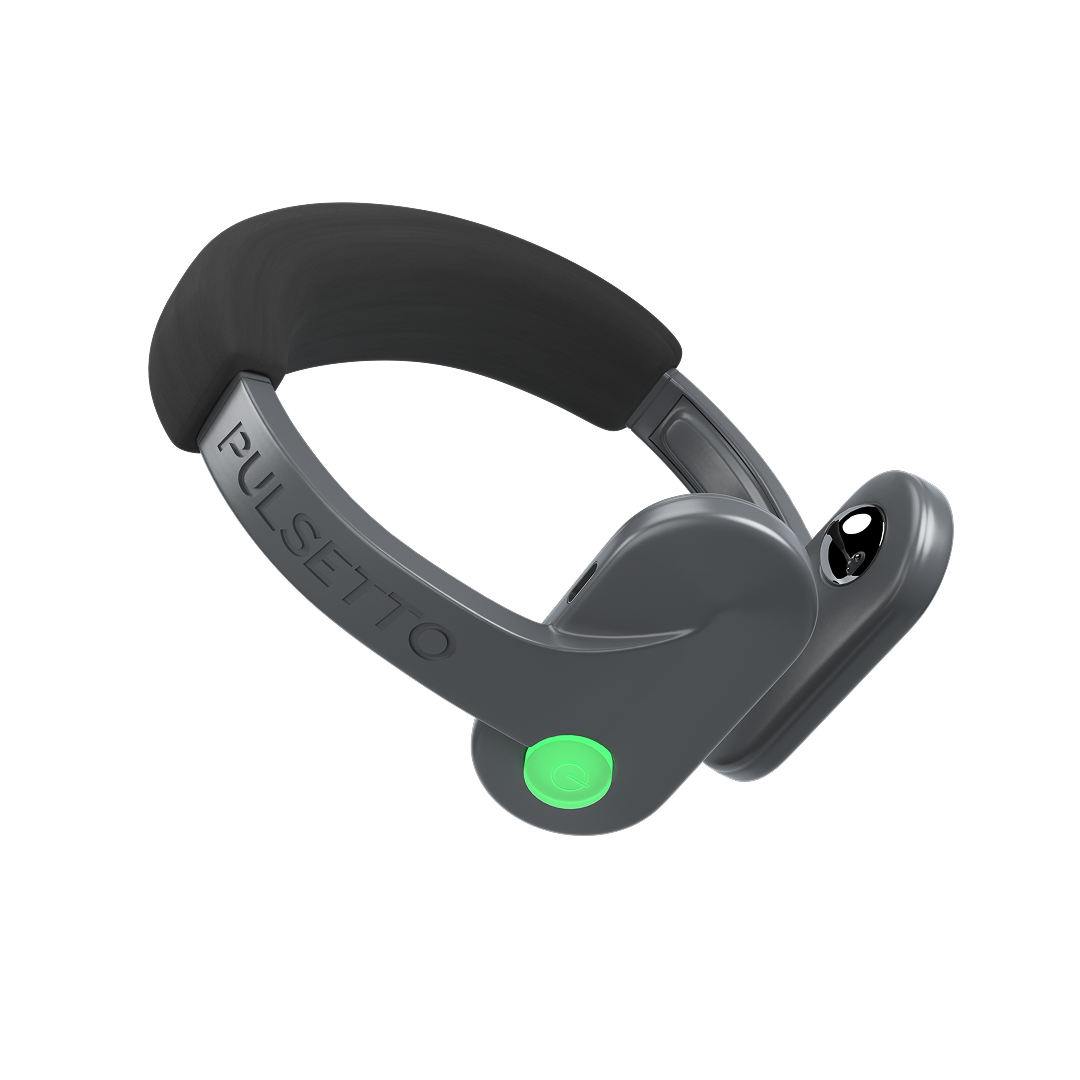
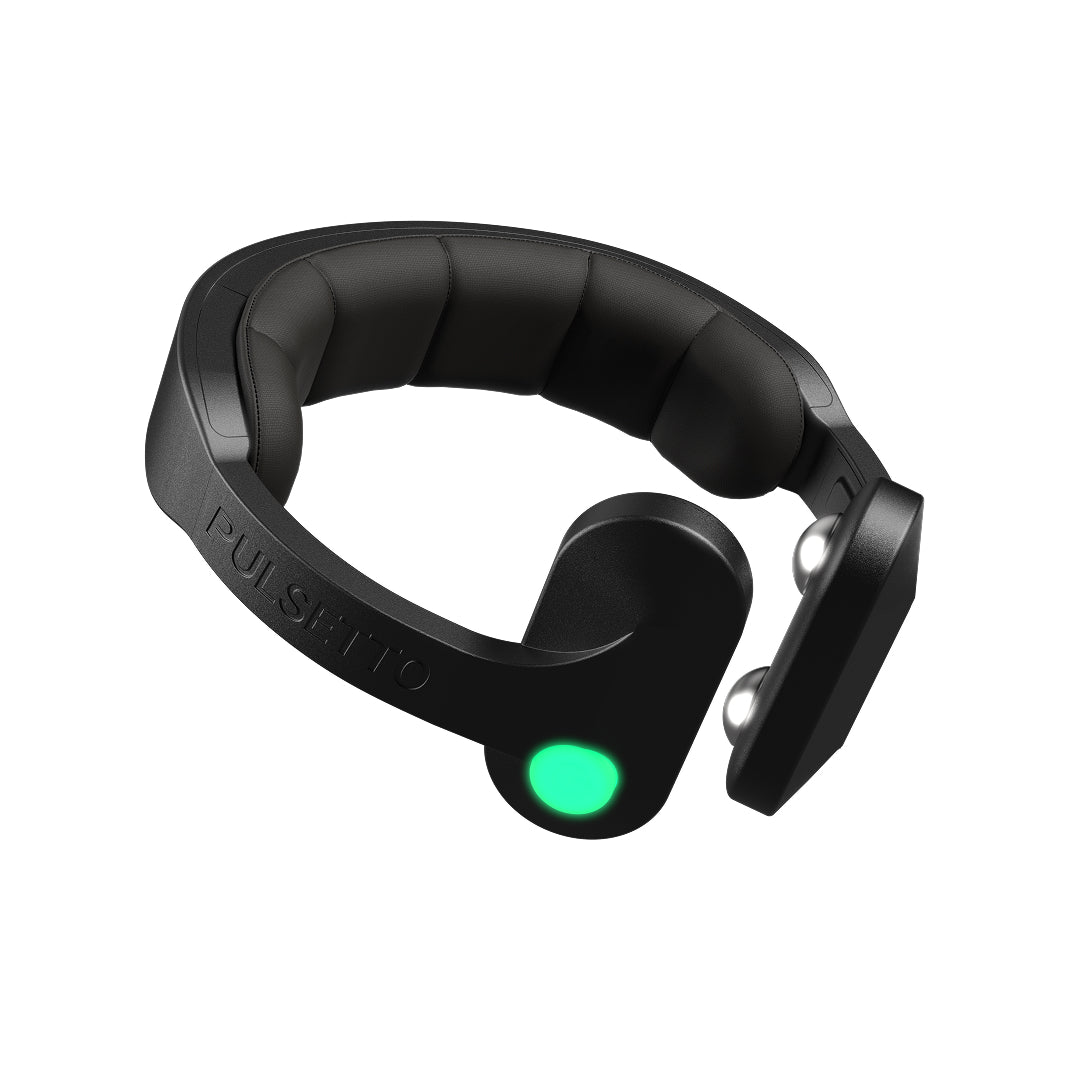
Best for: People looking for a simple, guided way to support stress relief and sleep via vagus nerve stimulation

Pulsetto is built around structured stimulation programs rather than an open content library. During onboarding, users select goals like stress reduction, better sleep, or recovery, and the app suggests tailored programs that combine device sessions with breathing, meditation, and relaxation guidance.
Sessions are typically short (a few minutes) and designed to fit into daily routines. The app focuses on practical nervous system regulation rather than meditation theory. In addition to core programs, users have access to a variety of breathing exercises for different scenarios and difficulty levels, guided meditations targeting issues like sleep disorders, pain, anxiety, stress, and burnout, and a library of 1,200+ affirmations — all of which can be combined with VNS. Sleep support includes dedicated programs to help down-regulate before bed, alongside basic insights like HRV tracking.
Pros: Simple to use, quick sessions, clear goal-based programs, combines hardware + app, supports HRV and sleep routines, includes breathing exercises, targeted meditations, and 1,200+ affirmations that can be combined with VNS
Cons: Requires purchasing the device, limited value without hardware, fewer “content” options compared to meditation apps
Pricing: Device required (~€278–€399). App has free core features + optional Premium subscription (~€120/year)
Platforms: iOS, Android
Offline: Limited — requires device connection; some functionality may work without internet
Vs. Headspace and Calm: Pulsetto is not a meditation app. Instead of guided mindfulness content, it focuses on physical vagus nerve stimulation to help shift the nervous system. While it includes breathing exercises, meditations, and affirmations, these are designed to complement VNS rather than act as standalone content libraries. It’s more of a tool for physiological regulation, while Headspace and Calm focus on mental training and content.
2. Headspace
Best for: Beginners who want structured guided mindfulness
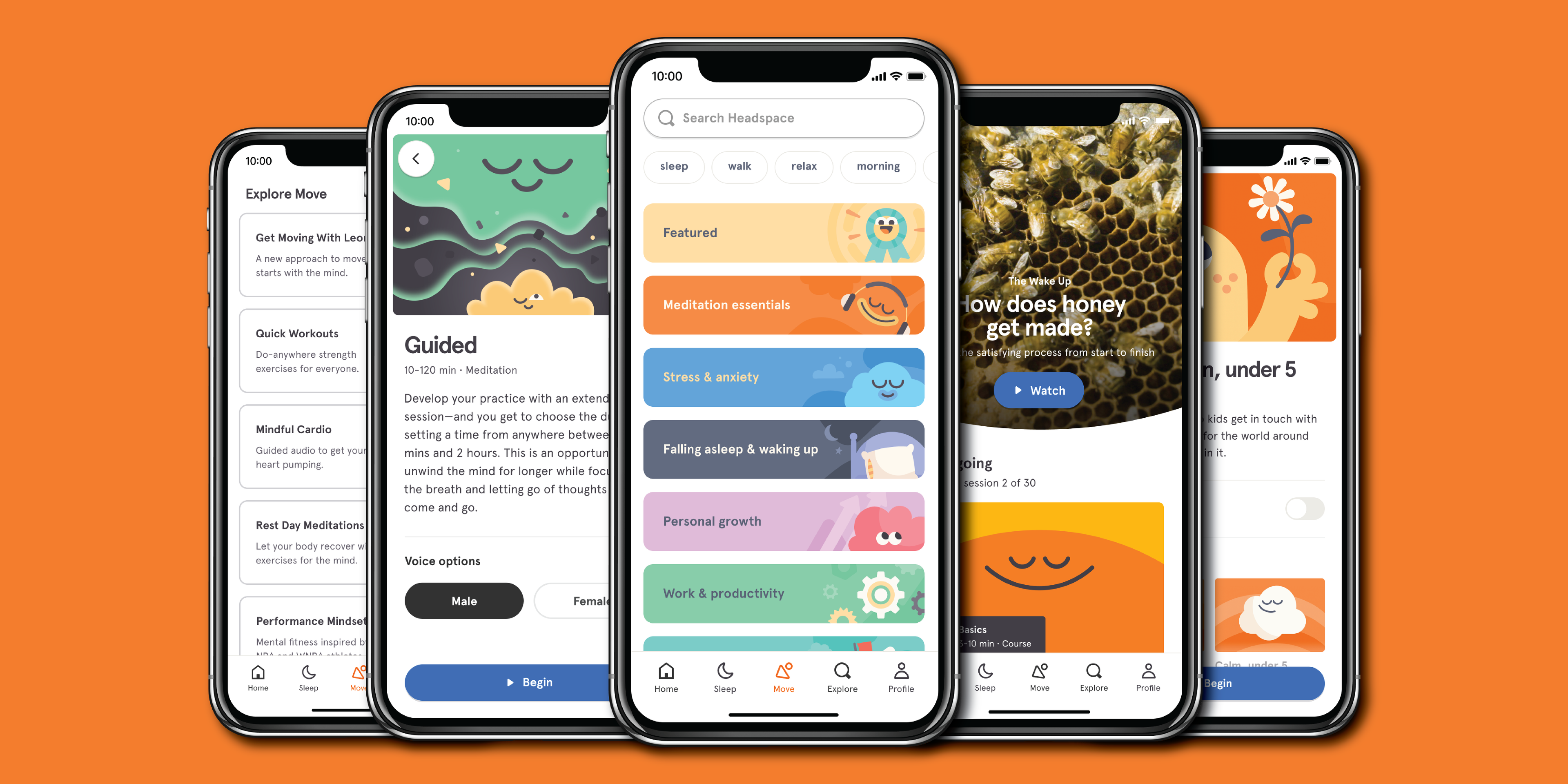
Headspace is built around a guided curriculum rather than a content library you navigate freely. Onboarding asks about your goals and experience level, then routes you into a structured beginner course (Basics 1, 2, and 3) that introduces core mindfulness concepts progressively.
Daily sessions are short (3-10 minutes) and supported by animations and explainer videos that make abstract ideas accessible. Sleep content includes Sleepcasts, wind-down exercises, and ambient sounds. Content depth increases as you progress, covering stress, focus, and movement alongside core meditation.
Pros: Clear structure, polished UX, excellent beginner path, animation-supported learning, sleep tools included.
Cons: Most content requires a subscription; the free tier is limited to a small set of sessions. Subscription cost is higher than some alternatives.
Pricing: Free trial available. After free trial, $12.99/mo or $69.99/yr.
Platforms: iOS, Android, Web.
Offline: Yes, sessions can be downloaded for offline use.
Vs. Calm and Insight Timer: Headspace's differentiator is its guided curriculum. Calm leans into sleep stories and ambient content. Insight Timer offers volume and variety but without a structured path. If you want to be told what to do next as a beginner, Headspace is the stronger choice.
3. Calm
Best for: Sleep stories and relaxation
Calm is the strongest option for sleep-focused users. Its Sleep Stories library features narrated bedtime stories for adults, voiced by well-known figures, designed to ease the mind and support falling asleep. Soundscapes and music tracks extend this into ambient listening throughout the day.
Beyond sleep, Calm includes breathing exercises, short daily mindfulness sessions called Daily Calm, and body scan options. The interface is clean and the content is high production quality throughout.
Pros: Industry-leading sleep content library, high production quality across sounds and narration, breadth of relaxation tools.
Cons: Mindfulness depth varies; it is less structured as a skill-building curriculum than Headspace. Subscription required for most content.
Pricing: Free trial available. After the free trial $14.99/mo or $69.99–$79.99/yr.
Platforms: iOS, Android, Web.
Offline: Yes, content can be downloaded for offline access with a subscription.
Who should skip it: Those primarily seeking secular skill-building courses or a structured beginner meditation curriculum will find Calm less focused on that outcome. For systematic mindfulness development, Headspace or Ten Percent Happier are better fits.
4. Insight Timer
Best for: Large free library and community-led meditations
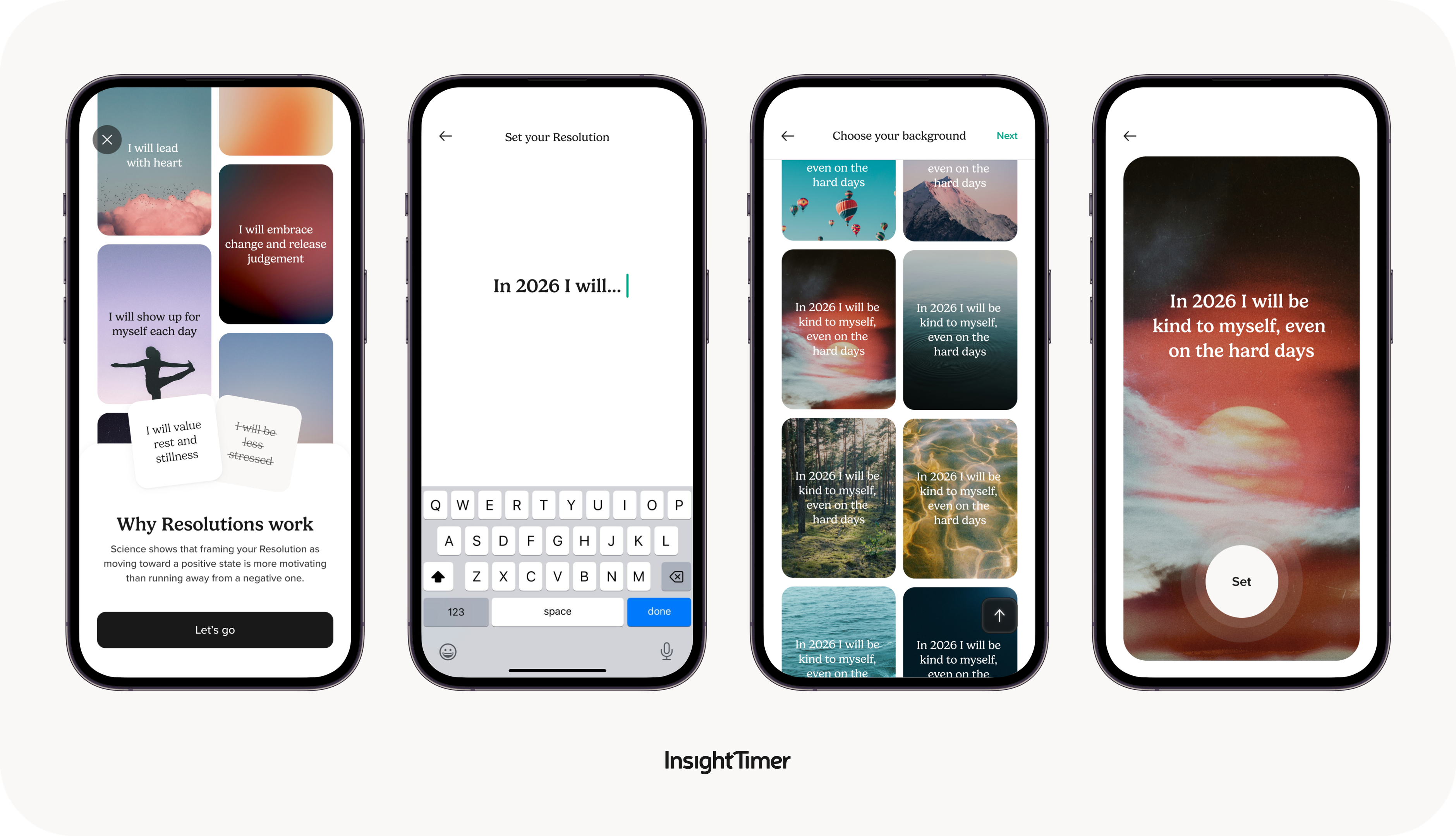
Insight Timer offers one of the largest free meditation libraries available, with tens of thousands of guided sessions from independent teachers across traditions, styles, and lengths. The free tier is genuinely usable.
The app also includes a customizable meditation timer with ambient sounds and interval bells, live sessions, and community features including groups and discussion. Paid courses are available as add-ons but are not required to access the core library.
Pros: Exceptional free depth, enormous variety of teachers and styles, community-driven content, solid timer functionality.
Cons: Quality varies across the library, some sessions are more polished than others. Volume can cause decision fatigue without a structured path.
Tips for getting value: Use filters to search by length, style, and teacher. Follow specific teachers whose style works for you. Start with curated beginner collections rather than browsing the full library cold.
Privacy note: Account creation is required. As with any free platform supported by paid tiers, review the app's current privacy policy to understand data handling before creating an account.
5. Ten Percent Happier
Best for: Skeptics and practical, no-nonsense mindfulness
Ten Percent Happier was built with skeptics in mind. The teaching approach is direct, practical, and free of spiritual jargon. Mindfulness is framed as a learnable skill backed by evidence, not a lifestyle philosophy.
The app features guided meditations from experienced teachers, structured courses on specific topics, and interview-style lessons that explore mindfulness concepts in accessible conversation. The beginner pathway is clearly marked and appropriate for first-time meditators.
Pros: Teaching clarity is a consistent strength; instruction is straightforward and honest without over-promising. Courses are well-organized and easy to follow.
Cons: Less sleep content compared to Calm. Subscription required for full access. The tone, while accessible, may feel too conversational for users who prefer traditional meditation instruction.
Beginner pathway: Start with the introductory series before exploring topic-specific courses. This provides a solid foundation in technique before branching into areas like stress, focus, or relationships.
Platforms: iOS, Android.
Offline: Yes, content can be downloaded for offline listening with a subscription.
6. Waking Up
Best for: Mindfulness theory and longer-form courses
Waking Up pairs daily meditation practice with conceptual depth. In addition to a structured introductory course covering technique and foundational ideas, the app offers longer-form lessons and conversations exploring the nature of mind, attention, and consciousness, territory that other apps largely avoid.
Daily meditations are available alongside the theory content, and some soundscapes are included for ambient use. The style is intellectually oriented; sessions often ask you to sit with ideas, not just follow instructions.
Pros: Depth of content is the primary differentiator, this is the strongest option for users who want to understand mindfulness rather than simply practice it. Courses are thorough and well-structured.
Cons: Less emphasis on sleep and relaxation content compared to Calm. The style and teaching approach are not for everyone, users looking for warmth or ambient experiences may prefer alternatives.
Pricing: Free trial. After that, $12.49/mo or $129.99/yr.
Choose Waking Up over Headspace or Ten Percent Happier if: You want to understand the conceptual underpinning of mindfulness alongside daily practice, and you are comfortable with a more philosophical teaching style.
7. The Mindfulness App
Best for: Simple timer and structured basics without overwhelm

The Mindfulness App prioritizes simplicity. Its core offering is a customizable meditation timer with optional ambient sounds and interval bells, supported by a library of guided meditations and structured themed packs covering stress, sleep, and focus basics.
Reminders are configurable to support habit building. The interface stays out of the way. There is no social feed, no algorithm pushing content, and no overwhelming library to navigate.
Pros: Simplicity is the standout quality. Easy to set up, easy to use daily without friction. Guided sessions are clear and appropriate for beginners.
Cons: Smaller library than Headspace, Calm, or Insight Timer. Users who want variety or depth will outgrow it.
Platforms: iOS, Android.
Offline: Yes, sessions are available offline.
Best use case: Pair with a consistent daily routine, same time, same location. The timer feature makes it a reliable anchor for unguided practice once you have learned the basics.
8. Smiling Mind
Best for: Students, teens, and family-friendly mindfulness
Smiling Mind is a non-profit app developed in Australia with a focus on education and youth. Programs are structured by age group, making it one of the few apps that genuinely supports family-wide use from a single platform.
Sessions are short and clearly structured. The school-friendly format has made it a resource for educators, with dedicated programs for classroom use. Adult content is available but is less deep than premium competitors.
Pros: Fully free, age-appropriate structure, accessible for young users, school and family program support.
Cons: Adult premium depth is limited compared to paid apps. Those seeking advanced practice or variety will need to move to a different platform.
Platforms: iOS, Android, Web.
Who should pick it: Parents introducing mindfulness to their children, educators looking for classroom-ready programs, and budget-conscious beginners who want structured free content without sign-up friction.
9. UCLA Mindful
Best for: Science-backed basics on a budget
UCLA Mindful is produced by the UCLA Mindful Awareness Research Center, offering guided meditations and introductions to mindfulness practice drawn from the center's public programming. The content is simple, clinically grounded, and completely free.
Sessions cover core practices including breathing meditation, body scan, and loving-kindness.
Pros: Credible source, no cost, no paywall, straightforward instruction without upsells.
Cons: Limited features and minimal personalization. No advanced courses, reminders, or community elements.
Platforms: iOS, Android, Web (podcast-style audio also available).
Ideal pairing: Use as a no-cost starting point to establish a basic practice. If you find you want more structure, variety, or daily session support, that is a signal to explore a paid option like Headspace or Ten Percent Happier.
10. Breethe
Best for: Stress support and life-coaching style guidance

Breethe positions itself as a whole-wellness app rather than a pure meditation tool. Content spans anxiety and stress tracks, sleep sessions, mindset coaching, and short breathing exercises, with a warm and encouraging tone throughout.
Sessions are short and accessible. The life-coaching style (mixing mindfulness with motivational guidance and practical stress tools) makes it approachable for users who find traditional meditation framing less engaging.
Pros: Approachable tone, variety of content types, covers stress and sleep alongside mindfulness, suitable for non-meditators who want immediate stress relief tools.
Cons: Users who prefer a traditional, minimalist meditation focus may find the coaching style too broad. Less emphasis on skill-building depth.
Pricing: Free tier available with limited content. Premium subscription is $14.99/mo or $89.99/yr.
Platforms: iOS, Android.
Who it is not for: Those who want a minimalist timer-only experience or a structured secular meditation curriculum will find Breethe less suitable. The Mindfulness App or Ten Percent Happier are better fits in those cases.
How to Choose the Best Mindfulness App
Choosing among the best mindfulness apps comes down to what you want help with most, and how you realistically plan to use the app day to day. Some apps act like a course with a clear beginner path, while others are more like a library you dip into based on mood, time, or stress level.
Start with your primary goal
-
Sleep support: look for bedtime sessions, sleep stories, and soundscapes.
-
Stress management: prioritize guided mindfulness, breathwork, and check-ins you can use during the day.
-
Focus: look for shorter sessions, “workday” tracks, and low-friction timers.
Decide how much structure you want
-
If you prefer guidance and a clear sequence, pick an app with a beginner curriculum.
-
If you want variety and autonomy, choose a large library with strong filters and teacher discovery.
Match session length and style to your routine
-
If you only have 5-10 minutes, prioritize apps with short sessions and good bookmarking.
-
If voice and tone matter, test a few instructors before committing to a subscription.
Check practical features before subscribing
-
Offline downloads if you practice on commutes or flights.
-
Personalization (recommendations, reminders, streaks) if habit-building is the main hurdle.
-
Privacy expectations, especially if the app includes mood tracking or community features.
-
Accessibility considerations like adjustable playback speed, captions, background sounds, and dark mode.
Pricing fit
-
If you want to try before paying, prioritize a free tier or free trial, then compare monthly vs annual plans in the app store since availability and pricing can change. Some people who build a broader stress routine also read about vagus nerve and stress as general context for downshifting, separate from app-based training.
Mini decision tree
-
Want a beginner-friendly course and clean UX → Headspace
-
Want sleep stories and winding down most nights → Calm
-
Want a big free library and community variety → Insight Timer
-
Want practical teaching without a “spiritual” vibe → Ten Percent Happier
-
Want deeper theory and longer-form lessons → Waking Up
-
Want simple timers and basics without overwhelm → The Mindfulness App
Comparison: Features That Matter Most
The table below summarizes practical differences across the nine apps. Details such as pricing tiers and feature availability may change, so confirm current listings in your app store before subscribing.
|
App
|
Best for
|
Free Tier/Trial
|
Sleep Content
|
Structured Course
|
Timer
|
Offline
|
Price
|
Privacy Highlights
|
|
Pulsetto
|
Stress relief via device
|
Trial
|
Yes
|
Yes
|
Yes
|
Soon to be developed
|
Low-Med
|
Account required; in-app personalization
|
|
Headspace
|
Beginners, guided path
|
Trial
|
Yes
|
Yes
|
Yes
|
Yes
|
Low-Med
|
Account required; in-app personalization
|
|
Calm
|
Sleep & relaxation
|
Trial
|
Yes
|
Limited
|
Yes
|
Yes
|
Low-Med
|
Account required; content personalization
|
|
Insight Timer
|
Large free library
|
Extensive free
|
Yes
|
Partial
|
Yes
|
Yes
|
Free–Med
|
Account login; community features
|
|
Ten Percent Happier
|
Skeptics, practical training
|
Trial
|
Limited
|
Yes
|
Yes
|
Yes
|
Med
|
Account-based; structured pathways
|
|
Waking Up
|
Theory + depth
|
Trial
|
Limited
|
Yes
|
Yes
|
Yes
|
Med
|
Account required; educational focus
|
|
The Mindfulness App
|
Simple timers + basics
|
Trial
|
Limited
|
Yes
|
Yes
|
Yes
|
Med-High
|
Account required; minimal social features
|
|
Smiling Mind
|
Students & families
|
Free
|
Limited
|
Yes
|
Yes
|
Yes
|
Free
|
Account optional; school-oriented use
|
|
UCLA Mindful
|
Science-backed basics
|
Free
|
Limited
|
Yes
|
Limited
|
Limited
|
Free
|
Minimal data features
|
|
Breethe
|
Stress & coaching style
|
Trial
|
Yes
|
Partial
|
Yes
|
Yes
|
Med
|
Account required; coaching-style content
|
-
Best free depth: Insight Timer offers one of the broadest free libraries.
-
Best for sleep: Calm leads for bedtime stories and soundscapes.
-
Best for beginners: Headspace provides a clear, guided curriculum.
-
Best for skeptics: Ten Percent Happier emphasizes practical instruction.
-
Best for depth: Waking Up combines theory and daily practice.
No single app fits everyone. The right choice depends on your goal, budget, and how much structure you prefer.
Mindfulness App Tips - Get Results Faster
Consistency matters more than intensity. Most users see better results by practicing briefly each day rather than doing long sessions sporadically. Choose a predictable time, such as after waking or before bed, and protect that window as part of your routine.
Set up the habit
-
Start with 5-10 minutes per day.
-
Turn on reminders inside the app.
-
Download sessions for offline access if you practice during commutes.
-
Use the same location to build environmental cues.
Navigate content intentionally
-
Begin with a beginner pathway or structured course.
-
Save favorite sessions to avoid decision fatigue.
-
Mix guided sessions with timer-based practice as comfort grows.
-
Avoid switching apps every week; stick with one for at least a few weeks.
Handling common obstacles
-
Restlessness: shorten sessions temporarily.
-
Falling asleep: practice sitting upright or earlier in the day.
-
Intrusive thoughts: focus on returning to the breath rather than stopping thoughts.
-
Missed days: resume without restarting from scratch.
7-Day Starter Plan
-
Day 1: 5-minute breath awareness session.
-
Day 2: 7-minute body scan.
-
Day 3: 5-minute focus session for work or study.
-
Day 4: 8-minute stress-relief session.
-
Day 5: 10-minute guided mindfulness lesson.
-
Day 6: 5-minute timer-only practice.
-
Day 7: 10-minute reflection or gratitude session.
This structure builds familiarity without overwhelm and supports gradual habit formation.
Safety and When to Get Extra Support
Mindfulness apps are educational and self-guided tools. They are not a substitute for professional medical, psychological, or psychiatric care. If you are experiencing ongoing mental health symptoms that interfere with daily functioning, consider consulting a qualified clinician.
Meditation can feel uncomfortable for some people. Individuals with a history of trauma or heightened anxiety may notice increased distress during silent practice. If symptoms intensify, pause the session and seek guidance from a trained professional rather than pushing through discomfort.
If you experience severe emotional distress, thoughts of self-harm, or feel unsafe, contact local emergency services or a qualified healthcare provider immediately. Apps are not designed to manage crisis situations.
Mindfulness Apps vs Other Stress Tools (Including Vagus Nerve Support)
Mindfulness apps deliver skills and guidance. They teach you to direct and sustain attention, notice thoughts without reacting, and build awareness of physical and emotional states over time. The outcomes are gradual and skill-based.

Other approaches to stress and wellbeing work differently and can complement app-based practice:
-
Breathwork tools: Dedicated breathwork apps and techniques work directly with the breathing pattern to shift physiological state, often more quickly than meditation. These pair well with a mindfulness practice.
-
Journaling apps: Structured journaling supports emotional processing and reflection, a different mode of engagement than meditation, but complementary for stress management.
-
Sleep hygiene routines: App-based sleep tools work best when combined with consistent sleep hygiene: regular sleep timing, reduced light exposure before bed, and a calming pre-sleep environment.
-
Therapy: Mindfulness apps are not a replacement for professional psychological support. Cognitive behavioral therapy, ACT, and MBSR are evidence-based approaches that a qualified therapist can deliver.
-
Physical relaxation tools: Physical relaxation approaches, including progressive muscle relaxation, yoga, and device-based approaches, operate through different mechanisms.
One physical system increasingly relevant to stress research is the vagus nerve, the primary nerve of the parasympathetic nervous system, responsible for the body's rest-and-digest response. Understanding vagus nerve anatomy helps explain why it matters: it connects the brain to the heart, lungs, gut, and other organs, giving it an outsized role in regulating stress response, inflammation, and emotional state. Maintaining vagus nerve health is therefore relevant to anyone managing chronic stress, not just those with clinical conditions.
The connection between vagus nerve and stress is one reason mindfulness practices that emphasize slow, diaphragmatic breathing tend to be effective, they may activate parasympathetic pathways through the vagus nerve. Practical techniques for how to reset vagus nerve activity (including breathwork, humming, and cold exposure) can complement a mindfulness routine and are worth exploring alongside app-based practice.
Beyond behavioral techniques, non invasive vagus nerve stimulation is an active area of research, with device-based approaches showing promise for stress and anxiety support. A vagus nerve stimulator works differently from a mindfulness app, it delivers direct physiological input rather than teaching a skill, which is why the two approaches can sit alongside each other rather than compete. For those specifically exploring a vagus nerve stimulator for anxiety, the vagus nerve stimulation benefits documented in research include reductions in perceived stress and improvements in heart rate variability.
It is worth noting that vagus nerve stimulation therapy for diagnosed neurological conditions is a separate, medically supervised category, distinct from consumer wellness devices and from mindfulness apps. If you are managing a specific condition, consult a qualified professional before exploring any stimulation-based approach.
Best mindfulness apps FAQs
What are the best mindfulness apps for beginners?
For most beginners, Headspace is often the easiest starting point because it offers structured onboarding, short guided sessions, and a clear progression from basics to habit-building. Calm can also work well if you prefer a softer, relaxation-first approach. If budget matters, Smiling Mind and UCLA Mindful are simpler ways to start with guided fundamentals.
Are there any good free mindfulness apps?
Yes. Insight Timer stands out for a large free library, a built-in timer, and a wide range of teaching styles, though quality can vary and choice can feel overwhelming. Smiling Mind is another strong free option, especially for students and families, with age-based programs and shorter sessions. UCLA Mindful is also a solid budget-friendly basics pick.
Which mindfulness app is best for sleep?
Calm is typically the best fit if sleep is the priority because it emphasizes sleep stories, soundscapes, and winding-down content alongside short mindfulness sessions. Headspace may also help with bedtime routines if you prefer more structured guidance. If you mainly want free sleep-adjacent content, Insight Timer can work, but it may take more filtering.
Do mindfulness apps really work for stress?
Mindfulness apps can help with stress management by teaching attention control, breath-based downshifting, and consistent check-ins that build awareness of triggers. Results vary by person and by how consistently the app is used, and they are better viewed as skills practice than instant fixes. If stress feels overwhelming or worsens with meditation, it can help to pause and seek professional guidance.
How much do mindfulness apps cost per month?
Pricing varies widely and can change, so it’s worth checking current App Store or Google Play details before subscribing. Many apps use a subscription model with monthly and annual plans, and some offer limited free content or a free trial. Free-first options like Insight Timer, Smiling Mind, and UCLA Mindful can reduce cost if you’re testing what style works.